
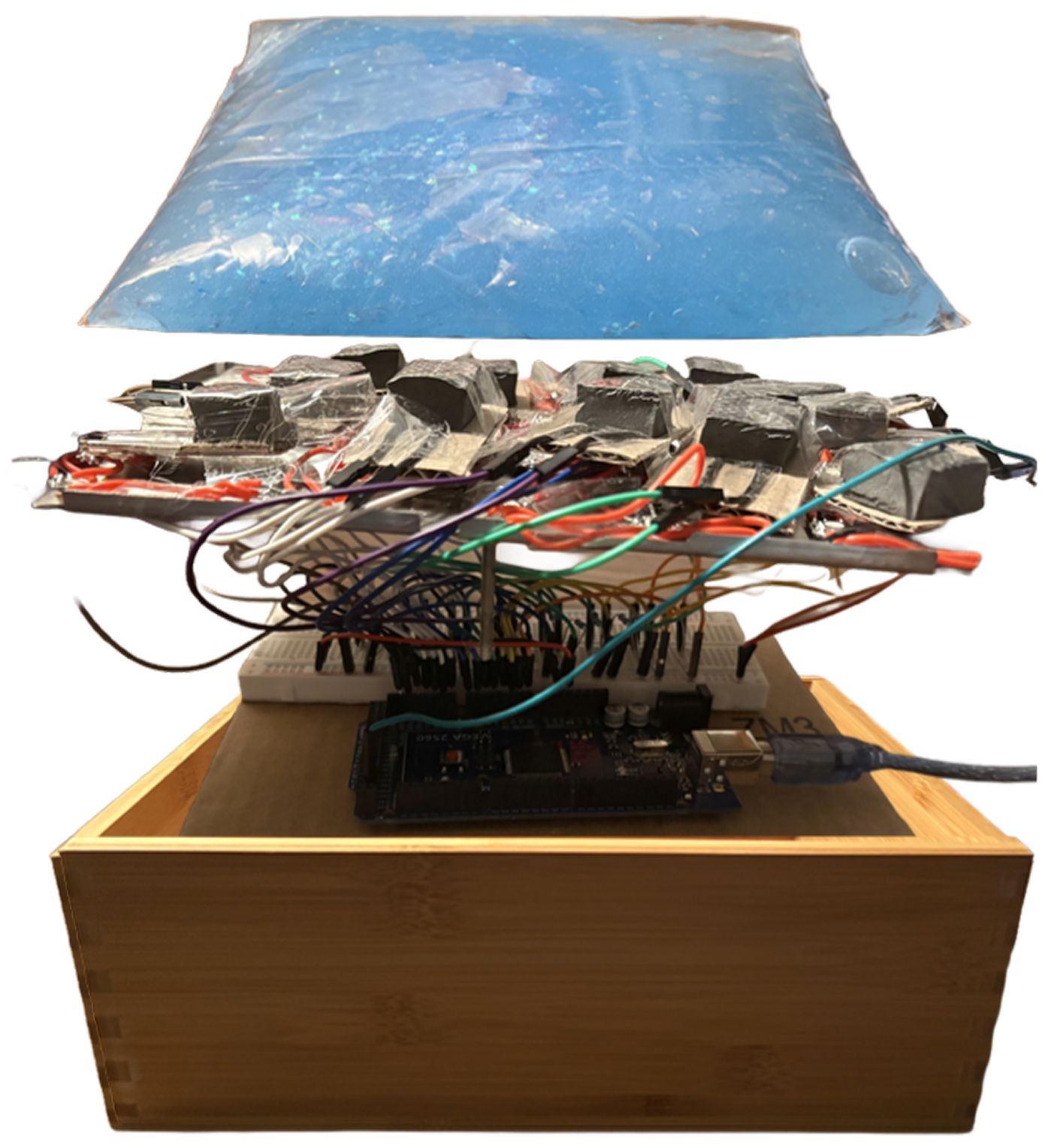
Designing touch as a language between humans and systems
When touch becomes the interface
Touch is one of the most intuitive forms of interaction, but most digital systems ignore it or reduce it to a simple input. This project explores how touch can become expressive, and how pressure, movement, and presence can directly shape light and create a responsive environment.
The result is a tactile installation where users don’t need instructions. They touch, and the system answers.
Why most interactions feel distant
Most interactive systems feel distant. Screens control interaction, but I wanted to understand:
What happens when interaction is immediate, physical, and visible?
How can a system translate something as subtle as pressure into something perceptible and engaging?
Touch already carries meaning. The challenge was to design more than a complex interface. I wanted to build a system that responds to humans in the simplest way.
Building something you don’t have to explain
-
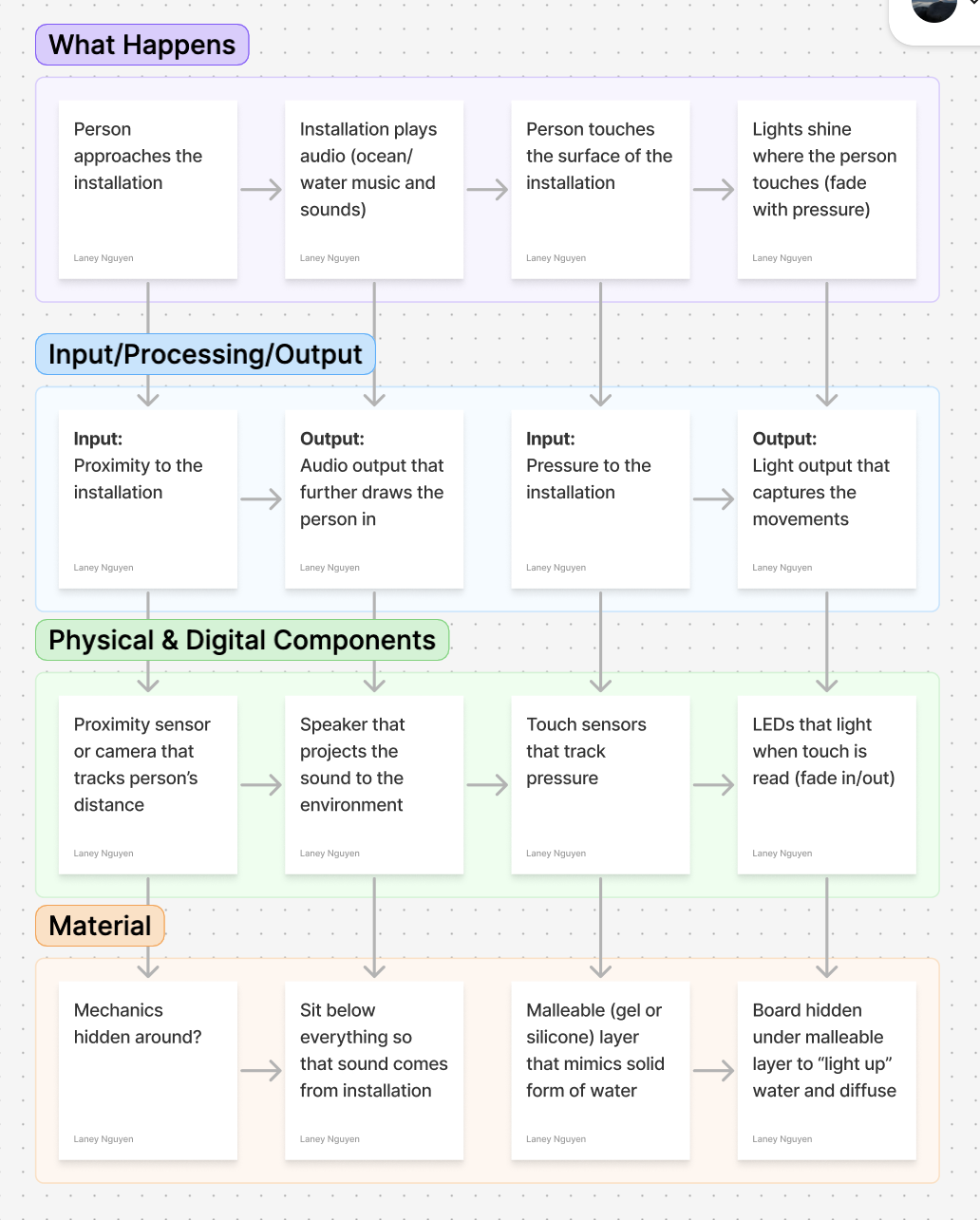
I started by mapping the interaction as a system:
Approach → sound draws attention
Touch → pressure captured
Output → light responds
This framed the project as a feedback loop.
-
The core challenge was translating pressure into readable data.
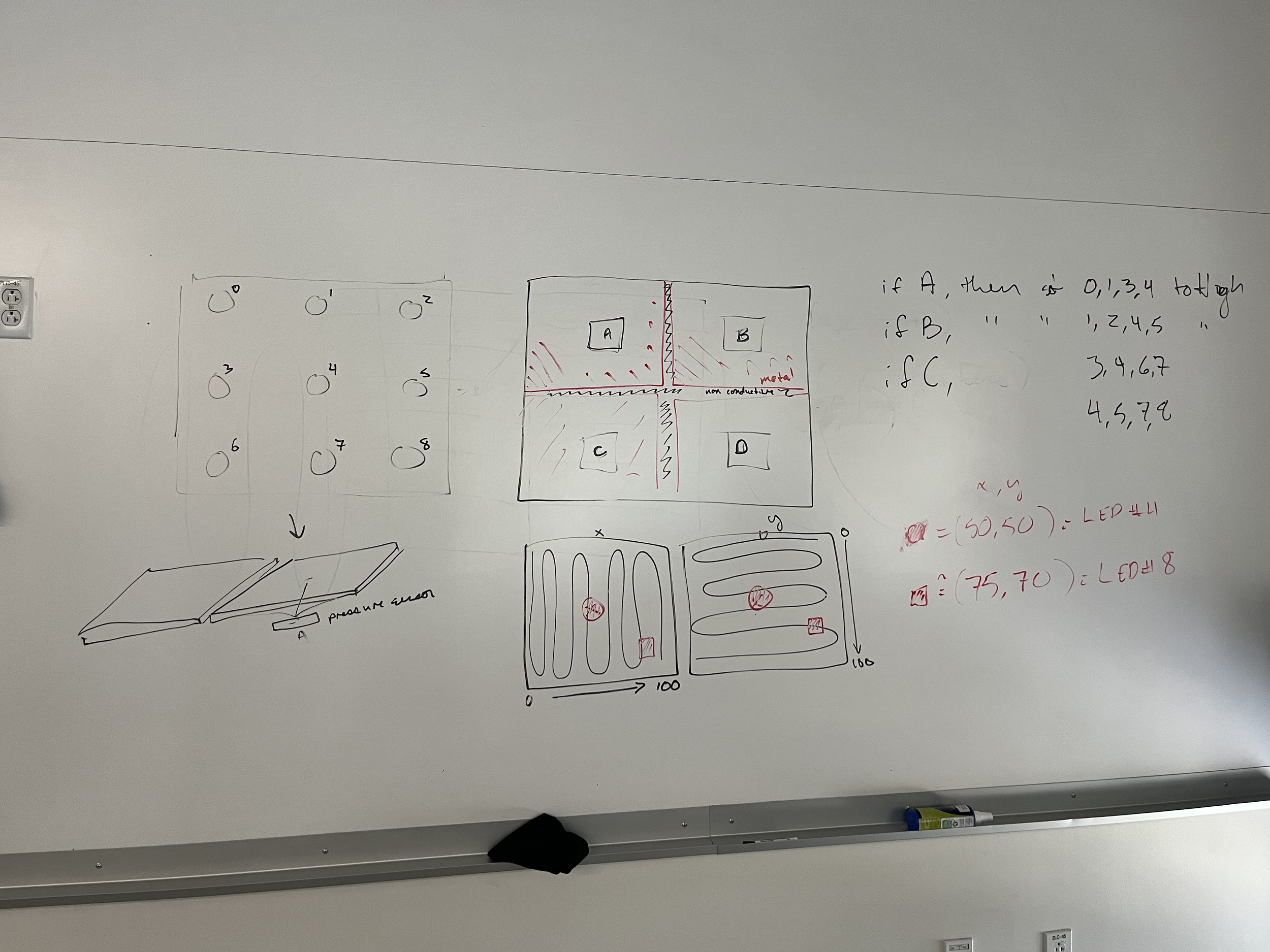
I built handmade force sensors using:
Foam substrate
Graphite-coated conductive surface
Copper tape traces
When pressure is applied, resistance changes and produces an analog signal.
This approach was:
Low-cost
Highly customizable
Imperfect, but expressive
That imperfection became part of the interaction.
-
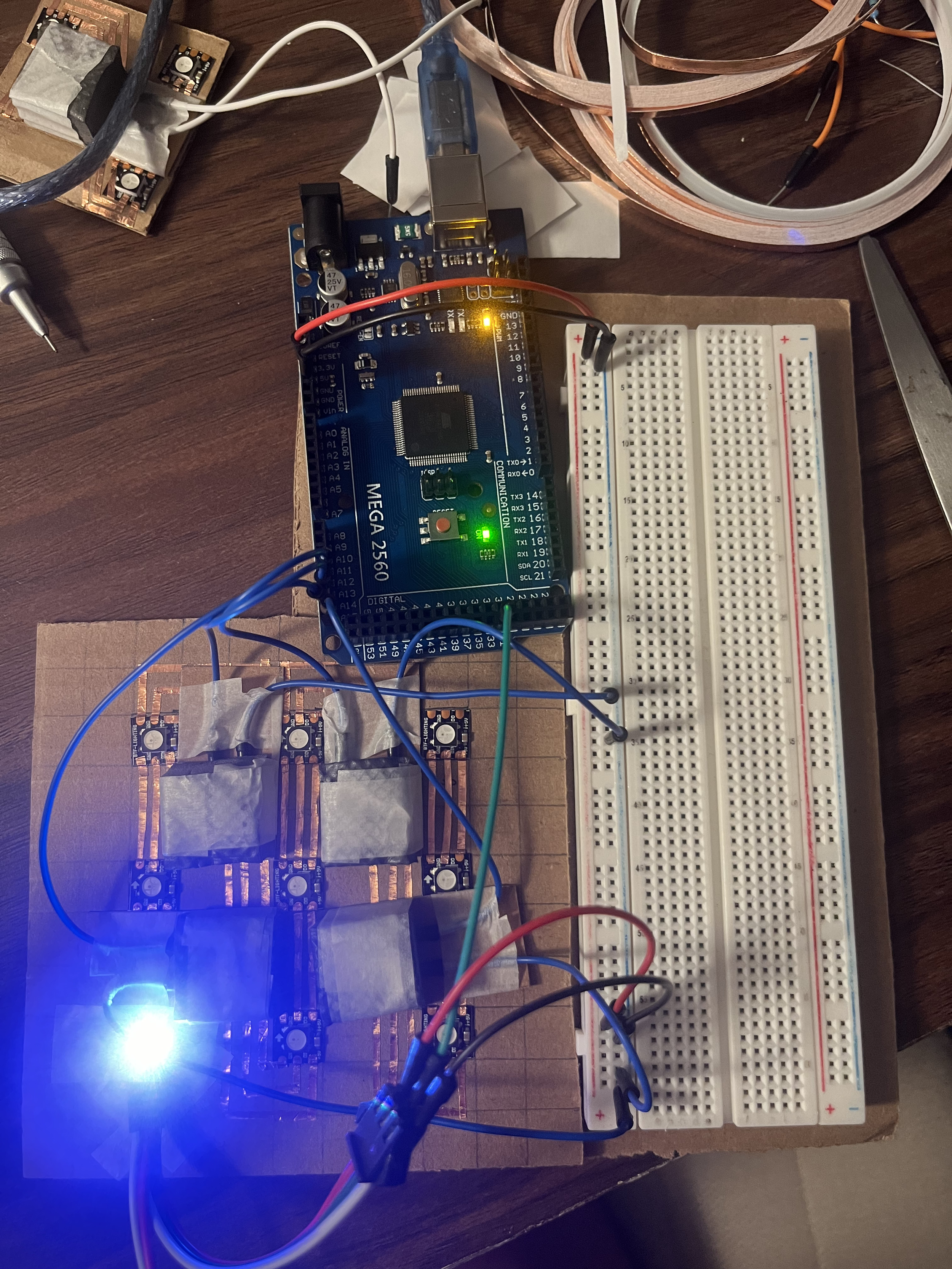
The visual system uses a 4×6 grid of WS2812B LEDs, each individually addressable through a single data line.
LEDs were cut and reassembled into a grid
Wired with ~¾ inch spacing
Controlled through an Arduino Mega
The goal was localized responsiveness, where each touch corresponds to a specific region of light.
-
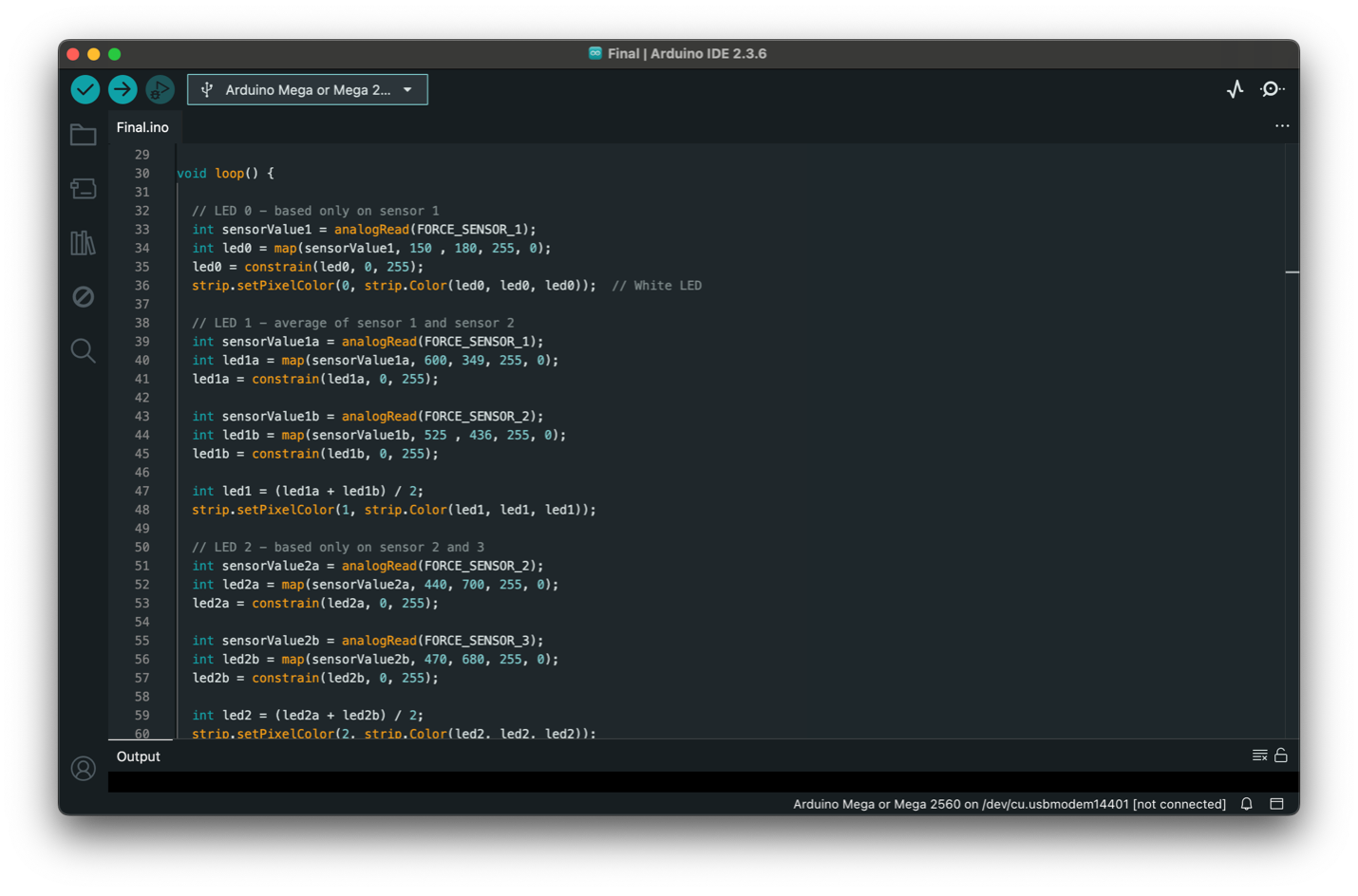
The behavior of the system is driven through analog mapping:
Sensor values (0–1023)
Mapped to brightness (0–255)
Constrained for stability
Applied equally to RGB → white light
Each LED behaves differently:
LED 0: single sensor input
LED 1+: averaged values between neighboring sensors
This creates approximated zones, allowing degrees of intensity instead of stark divisions.
-
The system didn’t work at first, but that’s what shaped the final design.
Key issues:
LEDs only responding at the start of the strip
Reversed pressure behavior
Short-circuited Arduino due to overload
Signal inconsistencies from copper tape connections
At one point, the board failed entirely from too much input/output load.
This forced a shift:
Simplifying the system
Reducing redundancy
Rethinking sensor distribution
The final version is more stable because of these insights.
-
The physical layer became just as important as the electronics.
I tested materials that could:
Deform under pressure
Return to shape
Diffuse light
Explored:
Silicone
Gel-like materials
Soft rubber compounds
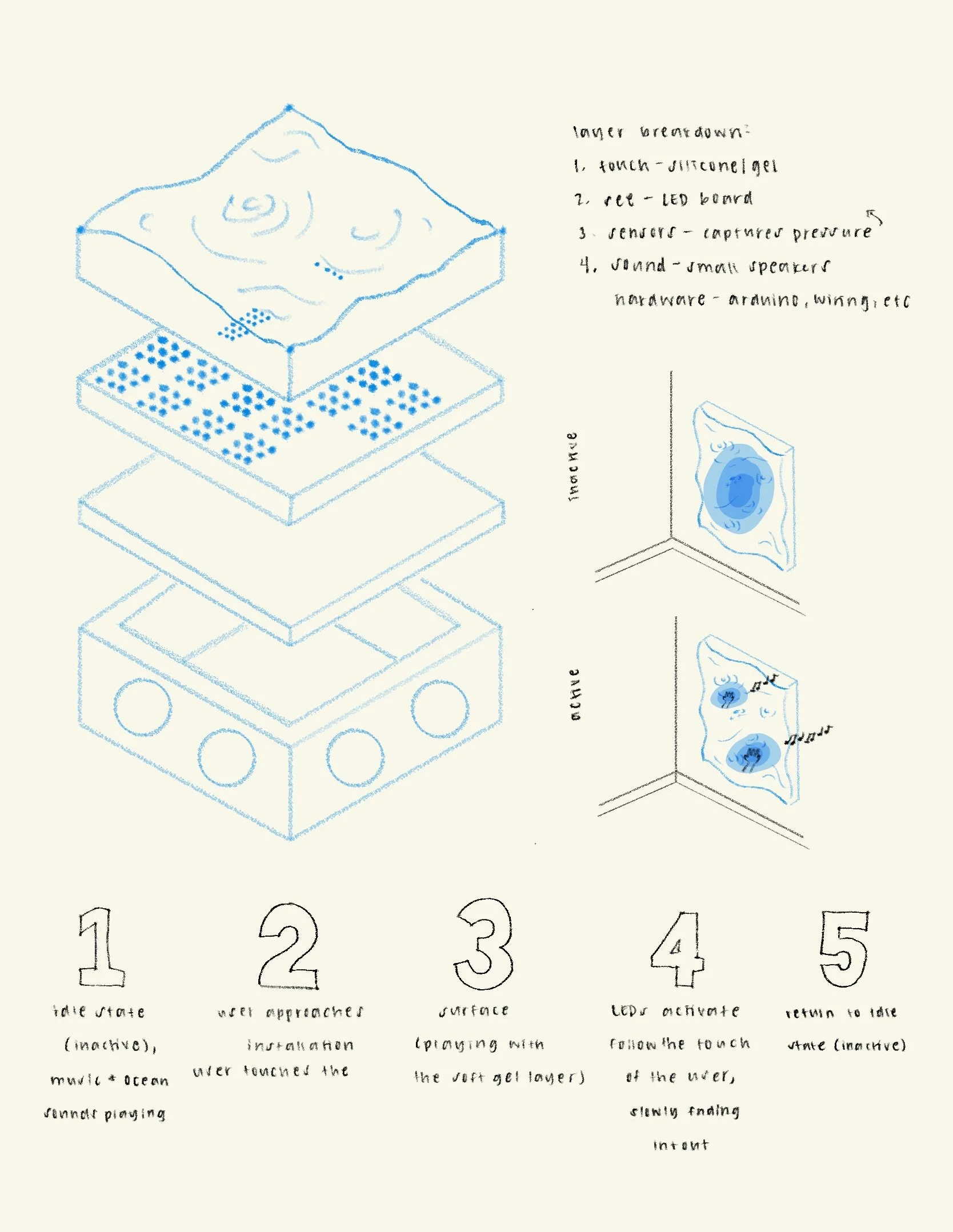
The final direction uses a soft, malleable top layer of clear slime encased in thin plastic to mimic water. This invited touch while diffusing the LEDs beneath.
Light that responds to you
-
![]()
Development Map
-
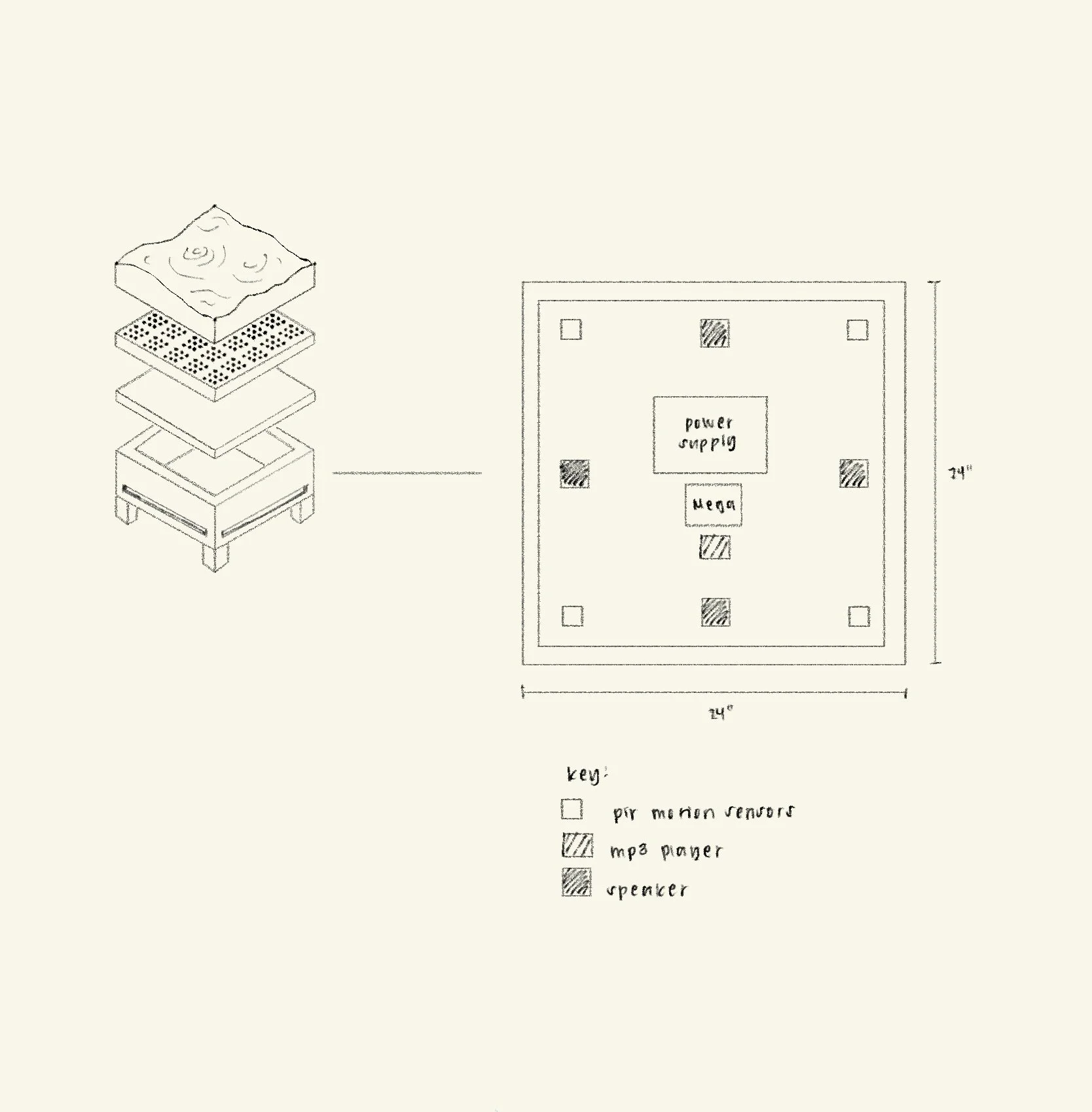
![]()
Layered System Visualization
-
![]()
Input/Output Sketch
-
![]()
Component Mapping Plan
-
![]()
Failed LED Prototype
-
![]()
Final Code
Where technical systems meet human instinct
This project sits at the intersection of:
Interaction design
Physical computing
Material exploration
It’s not just conceptual. It’s built, tested, broken, and rebuilt. It shows:
Systems thinking
Iteration through failure
Understanding of input/output relationships
Ability to translate abstract ideas into physical form
What happens when more than one person joins
This project changed how I think about interaction.
At first, I focused on making everything work perfectly. But the most interesting moments came from failure, from pressure variations, imperfect sensors, and subtle shifts in light.
If I continued this project, I would:
Expand the grid for multi-user interaction
Introduce color variation for more expressive feedback
Improve durability of sensor connections
Explore spatial audio tied to touch